iMessages Smishing Scanner
Concept safety scanner for iMessages.
Duration
6 weeks
Live Preview
Tech Stack


Project Overview
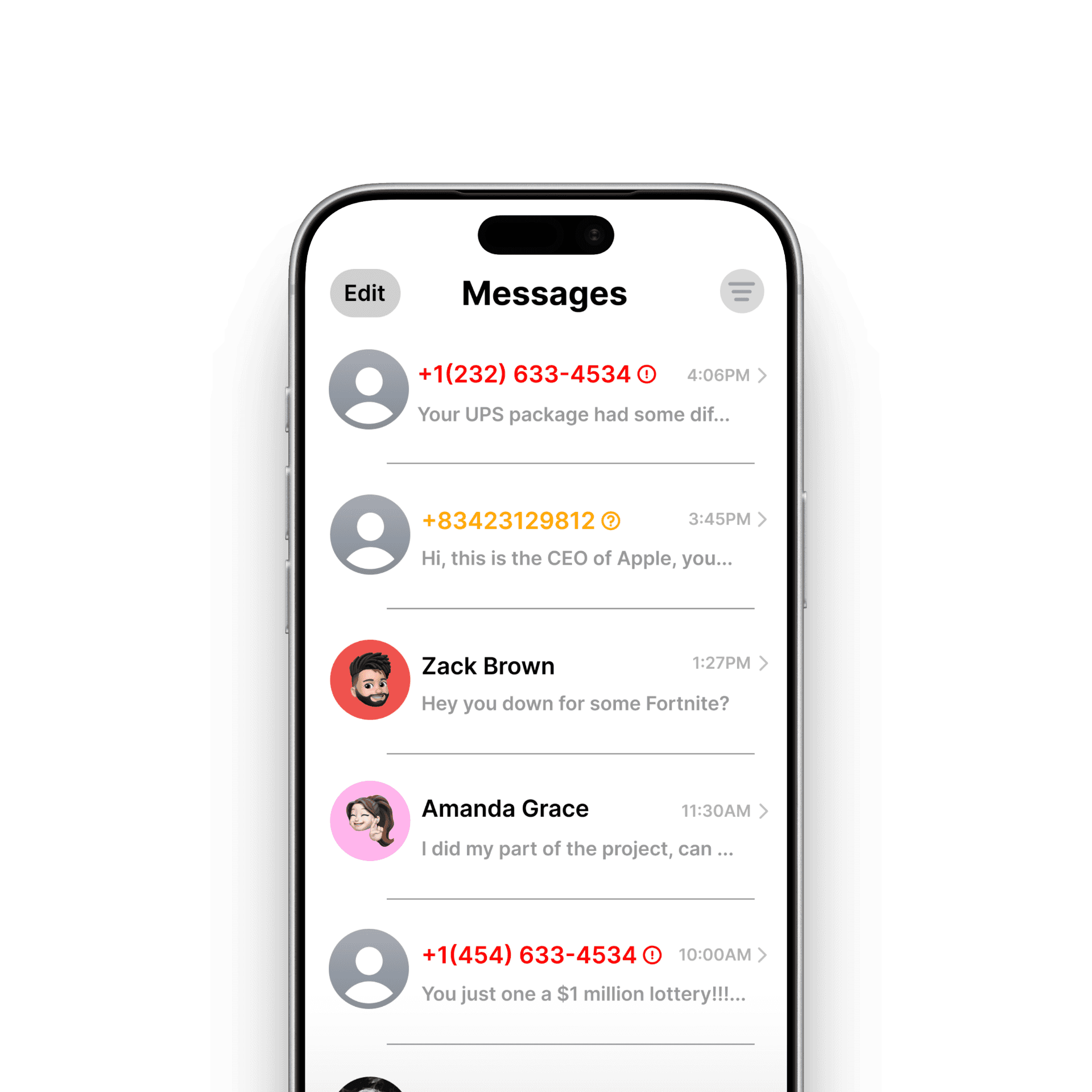
The Smishing Detection for iMessage project explores how mobile interfaces can better protect users from SMS-based phishing attacks. The goal was to design an intuitive, non-intrusive system within the iMessage experience that helps users identify suspicious messages, understand potential risks, and take action without creating fear or friction. The design balances security, clarity, and usability while staying consistent with Apple’s familiar UI patterns.
Goals
Help users quickly identify potentially harmful or spam messages
Reduce the likelihood of users clicking malicious links
Provide clear, actionable next steps without overwhelming the user
Seamlessly integrate security warnings into the existing iMessage experience
Process
I began by researching common smishing patterns, scam message structures, and existing mobile security warnings to understand where users often get confused or ignore alerts. From there, I mapped out user flows for different message risk levels—unknown senders, suspected spam, and confirmed malicious content.
Low-fidelity wireframes focused on where and how warnings should appear without interrupting normal messaging behavior. I then designed high-fidelity screens in Figma, closely following Apple’s Human Interface Guidelines to ensure the experience felt native to iOS. Visual hierarchy, color usage, and iconography were carefully refined to communicate urgency while maintaining trust and readability.
Key features explored:
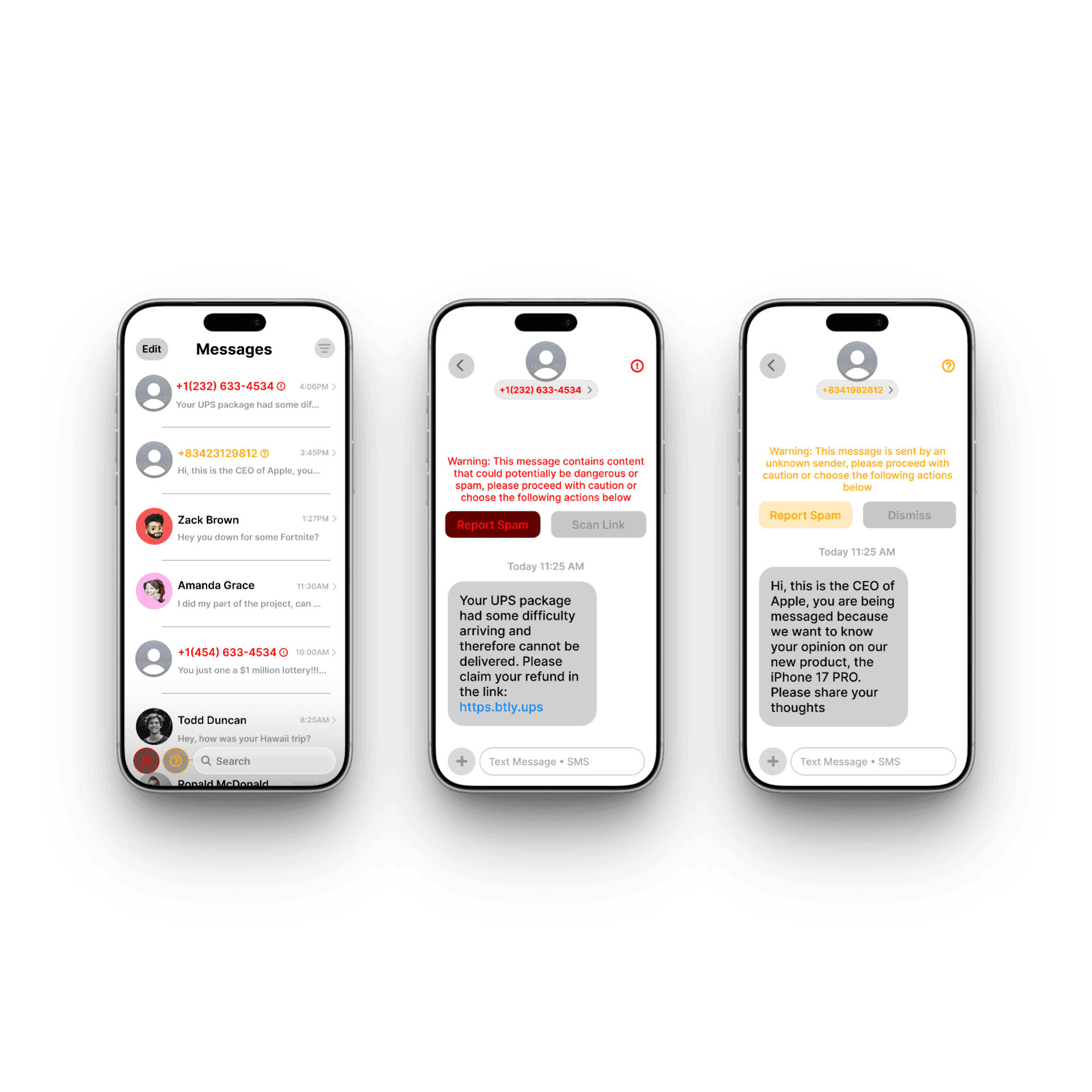
Inline warning banners for suspicious messages
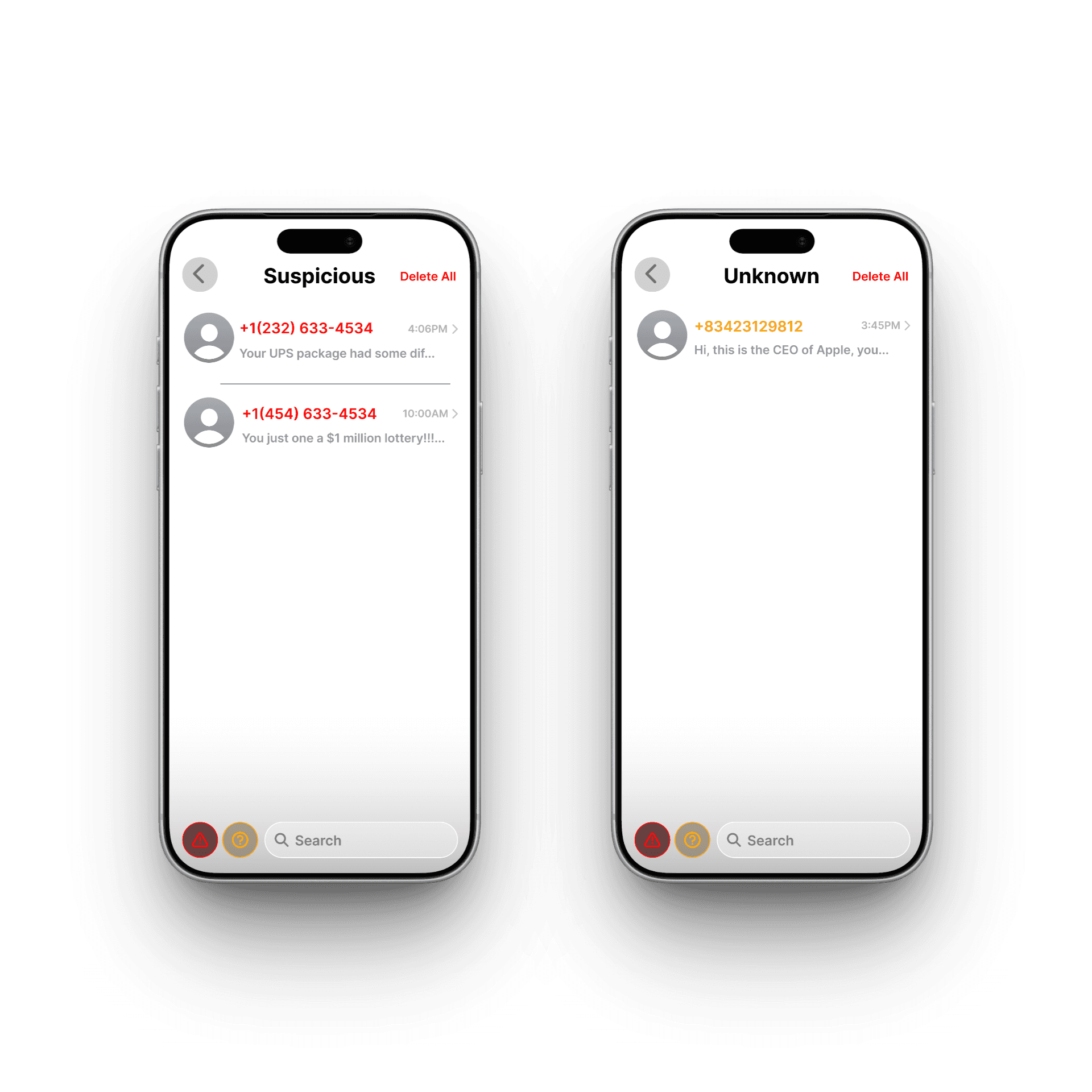
Clear labeling for unknown or risky senders
Action buttons such as “Report Spam,” “Scan Link,” or “Dismiss”
Color-coded alerts to indicate different threat levels
Challenges
A key challenge was balancing visibility with subtlety. Security warnings need to be noticeable, but overly aggressive alerts can cause anxiety or alert fatigue. I addressed this by using progressive disclosure—showing a brief warning first, then offering deeper context and actions only if the user chooses to engage. Maintaining consistency with Apple’s design language while introducing new security elements was another important consideration.
Outcome
The final design presents a clear, user-friendly approach to smishing detection that empowers users to make safer decisions without disrupting their messaging flow. The solution demonstrates how thoughtful UX can enhance digital security through clarity, restraint, and intuitive interaction—turning a complex, high-risk problem into a calm and approachable experience.